Power on the controller
The built-in battery powers the Raspberry Pi, display, telemetry receiver, and video receiver.
Ground Controller and Mission Manager
Ground control and mission management in one supervised command screen.
Aeroniti Command One gives operators a dedicated control system to plan missions, preview them in 3D, schedule autonomous operations, monitor telemetry, receive live video, and supervise AI mission execution.
Mission connected
Safety bounded
Hardware overview
Command One brings compute, telemetry, video, touch control, battery power, and ground control software into one dedicated operator system.
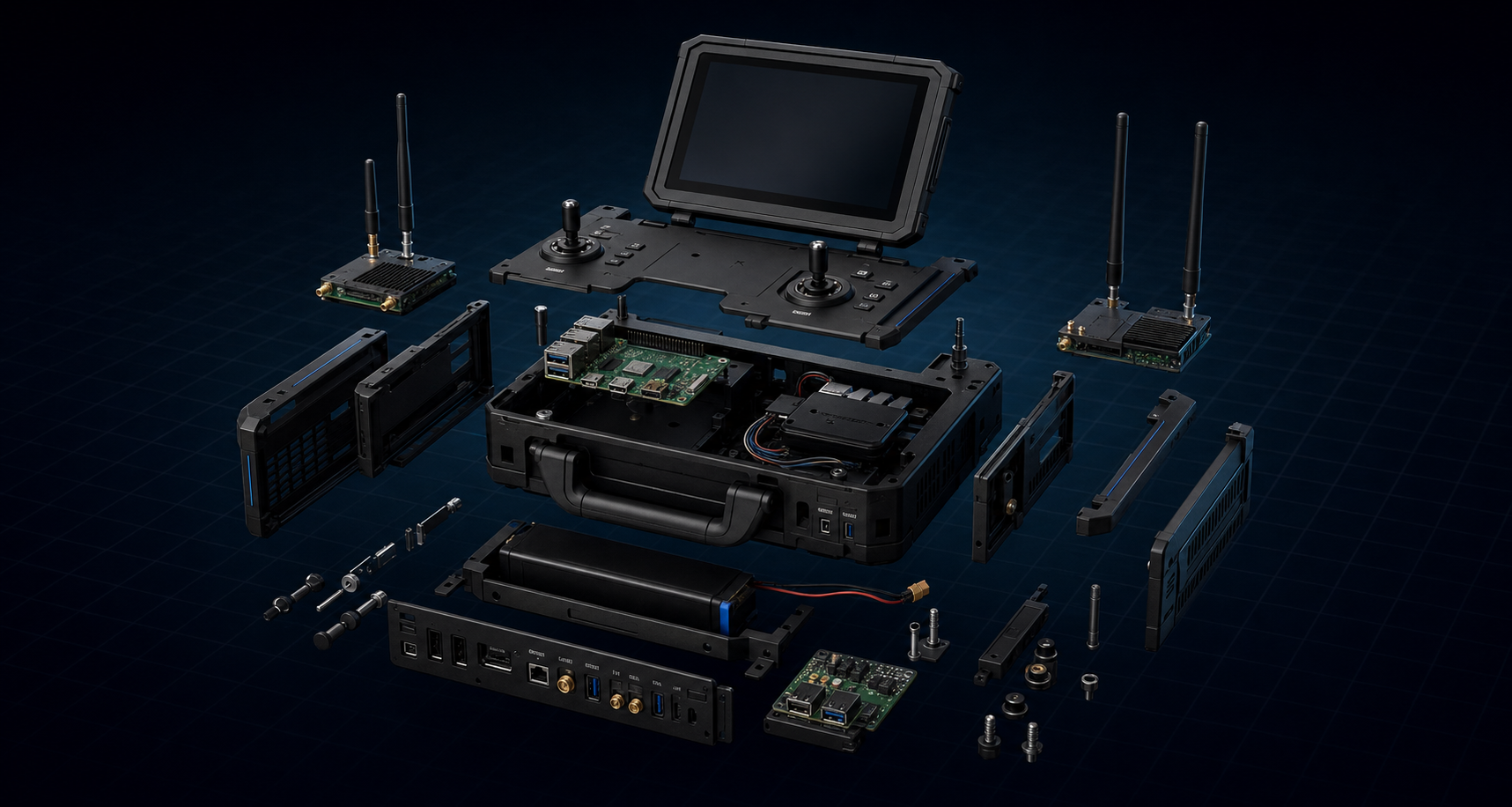
Integrated hardware system
Software features

3D mission planning
The operator can see how high the drone will fly, what area will be covered, what path it will follow, and what safety rules are active before the drone starts the mission.
How Command One works
The built-in battery powers the Raspberry Pi, display, telemetry receiver, and video receiver.
Aeroniti's custom OS launches the ground control environment.
Telemetry radio connects with the drone and receives real-time flight data.
The Wi-Fi video receiver displays high-quality live camera feed from the drone.
The operator draws route, area, altitude, actions, payload behavior, safety zones, and AI conditions.
While creating the mission or before running it, the operator can use the 3D simulation to preview the expected route, altitude, area coverage, path direction, drone actions, and safety boundaries.
Mission profiles can be saved for repeated operations.
The operator can schedule a mission for automatic execution when configured.
Ground controller sends mission data and commands through telemetry radio.
Jetson Orin Nano reads sensors and makes decisions based on AI models, depth, thermal, and LiDAR data.
Pixhawk 6C / ArduPilot handles stabilization, motor control, failsafes, RTL, and geofence.
The operator monitors telemetry, video, AI events, map status, mission progress, and safety alerts.
The mission can be paused, resumed, stopped, modified, or switched to RTL/landing when needed.
AI mission planning
It can also prepare AI missions where the onboard computer handles execution logic based on detection, distance, thermal target, obstacle data, payload status, or mission triggers.
Request demo
Bring us your mission. We will help design the AI, control logic, sensors, and operator interface to automate it.